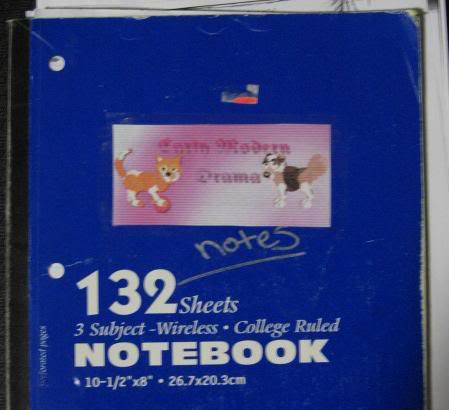
You're sitting in class, looking at your boring notebook or three-ring binder. What can you do? Make some fancy titles for each subject, using your favorite petz pics! This is very simple to do. All you need are:
*Petz pics
*a printer with ink
*Paint or another image program like PSP or Photo Plus.
*scissors
*tape or glue
* a notebook or 3 ring binder you can decorate.
Okay, now that you know what you need, you can make your title. Just open up your favorite Image program, open a picture of your petz and copy to a new, larger image. You can make a pretty background, bevel or add drop-shadows to your petz, whatever you like!
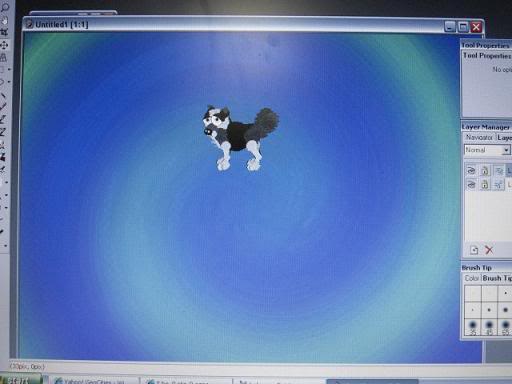
Add the subject of your class, like "Algebra 1," "Bio 101" or "Early Modern Drama," etc. Save the new image so that you can make more and put them together in one bigger image afterward, so that you can print multiple notebook titles on one piece of paper.
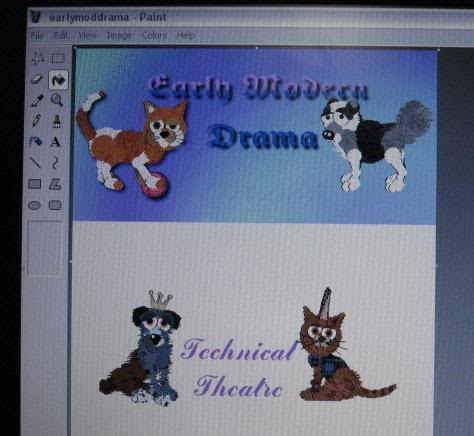
After your done making each title image and putting each onto a bigger image (this can be easily done by opening two Paint windows and copying and pasting each image on one window to a big, blank image on the other window, as shown above. Print out the Paint image with all of the titles (how many you want to print on each page) and cut them with the scissors and tape or glue them onto the appropriate notebooks/3-ring binders. Voila! Now you have a fun notebook cover featuring your favorite petz!